Editing a Job Title
You can edit a job title of a user in Policy & Procedure Management.
Edit a Job Title
- Click Settings & Tools > Company Setup, and then click Job Titles.
- If multiple sites exist, select the site containing the job title you want to change.
- Click the job title.
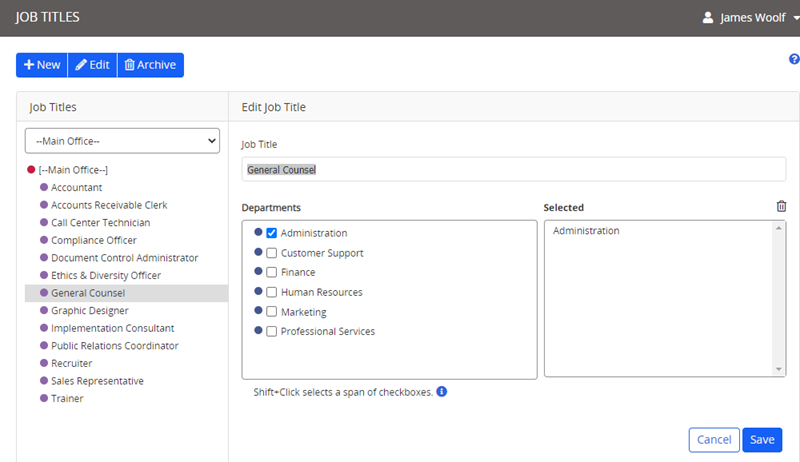
- Make the desired changes, and then click Save.
 Product Information
Copyright
Product Information
Copyright
This publication was written and produced at NAVEX Global, Inc., Lake Oswego, Oregon. This publication or any portion thereof is confidential and/or proprietary and may not be reproduced or used in any manner whatsoever without the express written permission of NAVEX Global, Inc.
Copyright © 2026 NAVEX Global, Inc. NAVEX Global® is a registered trademark/service mark of NAVEX Global, Inc. The NAVEX Global® logo is a trademark/service mark of NAVEX Global, Inc. Unauthorized use of NAVEX Global, Inc.’s trademarks/service marks is strictly prohibited without prior written permission from NAVEX Global, Inc.