Deleting or Disconnecting a Localized Copy
You can delete a localized copy or disconnect a localized copy.
 Delete a Copy
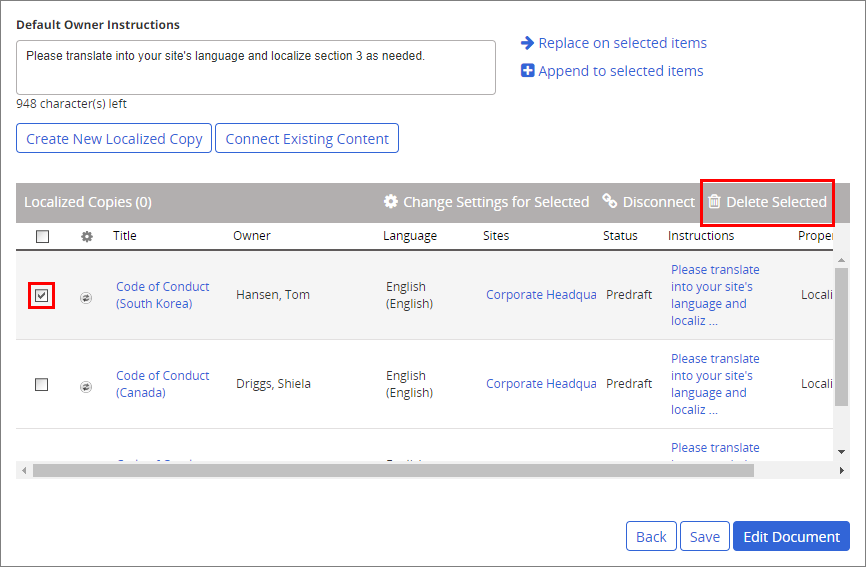
In the Localized Copies grid, select one or more copies, click Delete Selected, and then click Yes.
Important: You can only delete a localized copy from within the Localization Workflow step while the copy is in Predraft status and if the original document/assessment is not in Archived status.
Disconnect a Copy
Before disconnecting a localized copy consider the following:
- You can disconnect both newly created copies and copies connected as existing draft documents/assessments.
- You can disconnect copies while they are in the Predraft, Draft, Collaboration, Review, or Approval status. Approved copies (in Pending or Published) cannot be disconnected.
- You can disconnect unapproved copies while the original document/assessment is in any status, including Archived.
- If a copy's Primary/Copy Mode setting is Sync & Auto Assign or Sync & Auto Assign & User Primary's Recurrence Interval, all auto-assigned reading/completion tasks are removed from a disconnected copy and are no longer trackable from the original copy. Reading/completion assignments made directly within the copy are retained.
- If the copy is in Predraft status, it is permanently deleted (NOT moved to the Archive) as soon as it is disconnected.
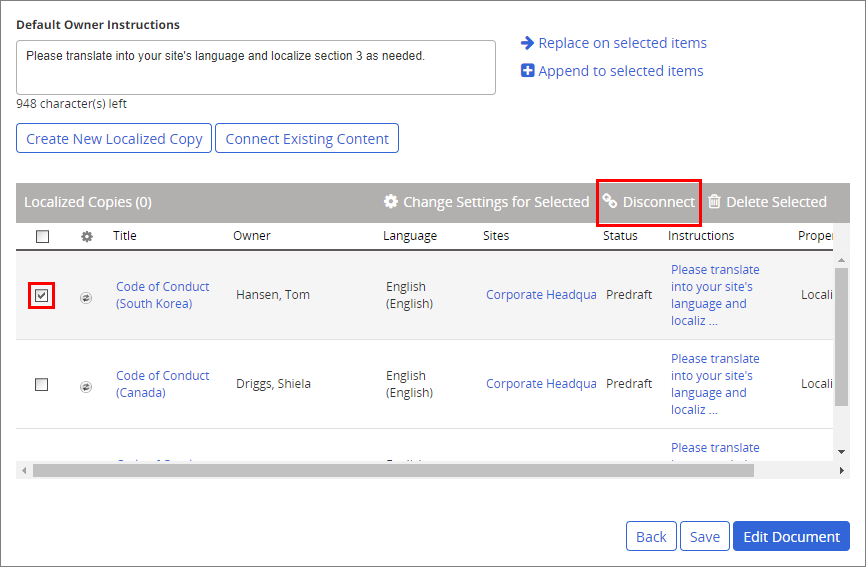
In the Localization Copies grid, select one or more copies, click Disconnect, and then click Yes.
Product Information
Copyright
This publication was written and produced at NAVEX Global, Inc., Lake Oswego, Oregon. This publication or any portion thereof is confidential and/or proprietary and may not be reproduced or used in any manner whatsoever without the express written permission of NAVEX Global, Inc.
Copyright © 2026 NAVEX Global, Inc. NAVEX Global® is a registered trademark/service mark of NAVEX Global, Inc. The NAVEX Global® logo is a trademark/service mark of NAVEX Global, Inc. Unauthorized use of NAVEX Global, Inc.’s trademarks/service marks is strictly prohibited without prior written permission from NAVEX Global, Inc.