Screenshot...
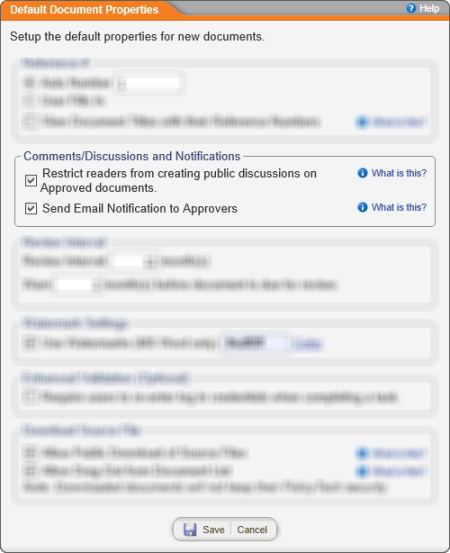
The Comments/Discussions and Notifications settings control who sees comments and notifications created for approved documents.
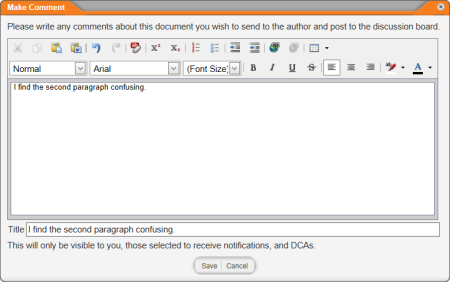
Restrict readers from creating public discussions on Approved documents. Select this option to keep readers from selecting recipients when they add a comment or start a discussion for a document, as in the sample comment below. Only the document owner and document control administrators will see the comment or discussion.
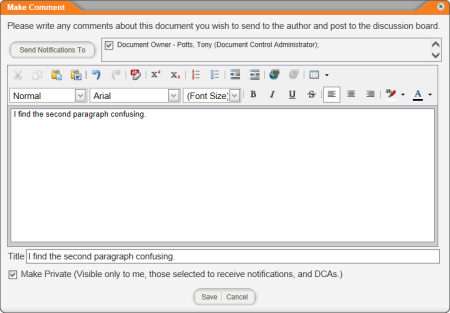
If this setting is not selected, a reader can select any users as viewers of a comment or participants in a discussion, as shown below.
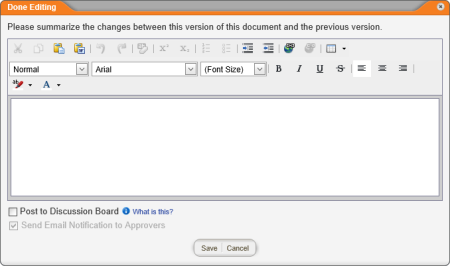
Send Email Notification to Approvers. This option applies when a document control administrator (DCA) edits an approved document in its current state. When the DCA is done editing, the window shown below appears for the DCA to describe the changes made. If you select Send Email Notification to Approvers in the Default Document Properties window, that option will be preselected and locked (grayed out) when the DCA sees the Done Editing `window.
Note: This setting's functionality changed in the 9.0 version of PolicyTech. In previous versions, selecting the Send Email Notification to Approvers option in Default Document Properties would preselect that option in the Done Editing window, but it would not lock it. A DCA could click to clear the Send Email Notification to Approvers check box.